 Il team di CueTwin

In breve
- Nothing to install: the teleprompter opens in your phone’s browser, connected to your computer by QR code.
- You write and control on the computer; the phone shows the text in large type.
- With Follow my voice, the text moves when you speak and waits when you stop.
- Put the phone right next to the lens so your eyes stay on the camera.
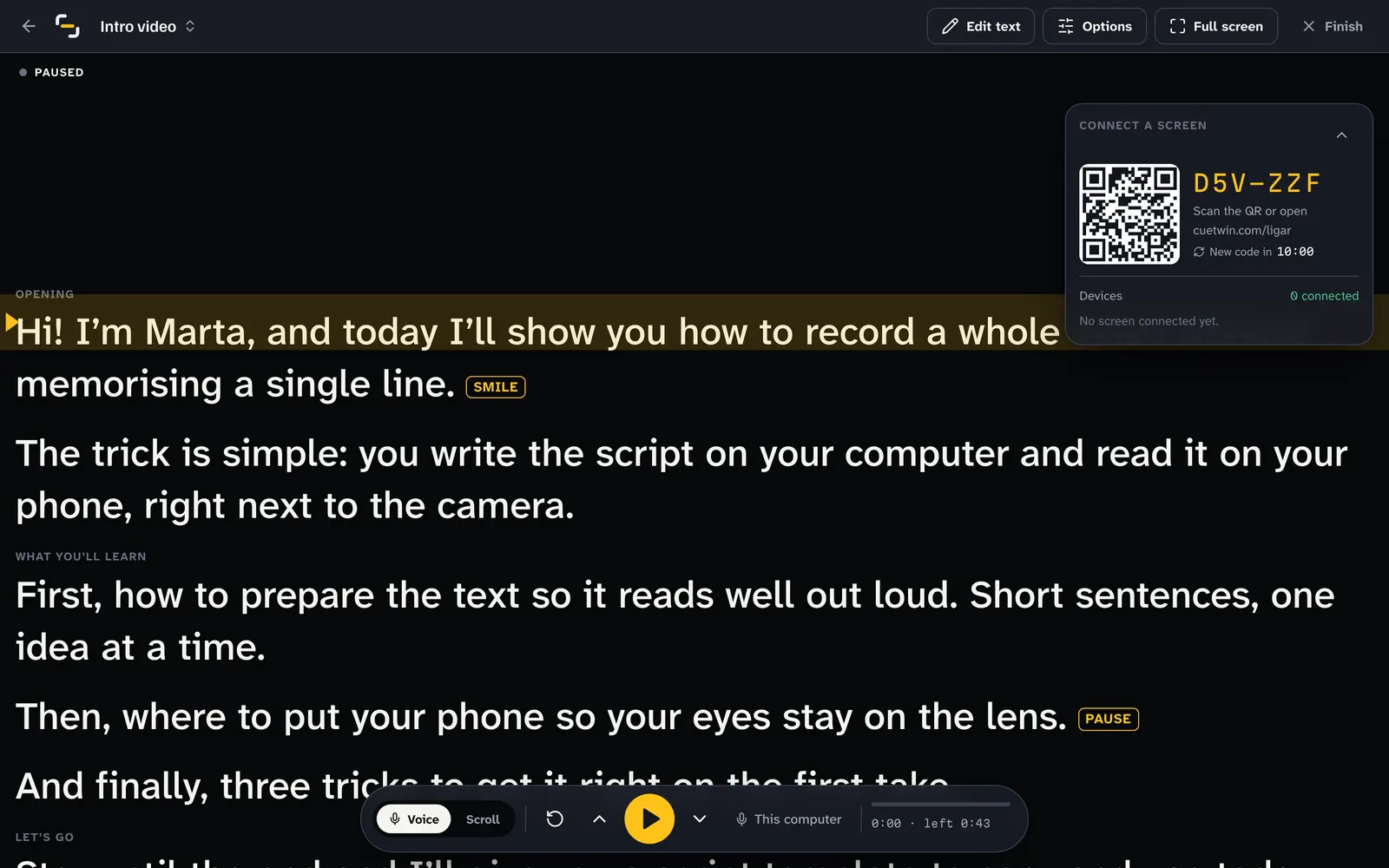
Open the script on your computer, point your phone’s camera at the QR code, and the phone shows the text in large type. Put the phone next to the lens, press Follow my voice and speak: the text moves with your voice and waits when you stop.
What you need
- A computer with Chrome, Edge or Safari, to write and control the script.
- A phone with a camera, to scan the QR code. Android or iPhone both work.
- A stand, a tripod or a pile of books, to put the phone right below the lens.
You don’t install an app or create an account on the phone. The account is only on the computer, and you sign in with Google.
Step by step
- Write or paste the script on your computerIn CueTwin, create a new script. You can also import a Word, PDF or Markdown file.
- Press PresentA QR code and a 6-character code appear.
- Point your phone at the QR codeOpen the phone’s camera and tap the link. If the QR code doesn’t work, open cuetwin.com/ligar and type the code.
- Put the phone next to the cameraThe closer it is to the lens, the less anyone notices your eyes moving.
- Press Follow my voice and speakThe text moves with your voice. If you ad-lib, it waits; if you go back, it goes back with you.
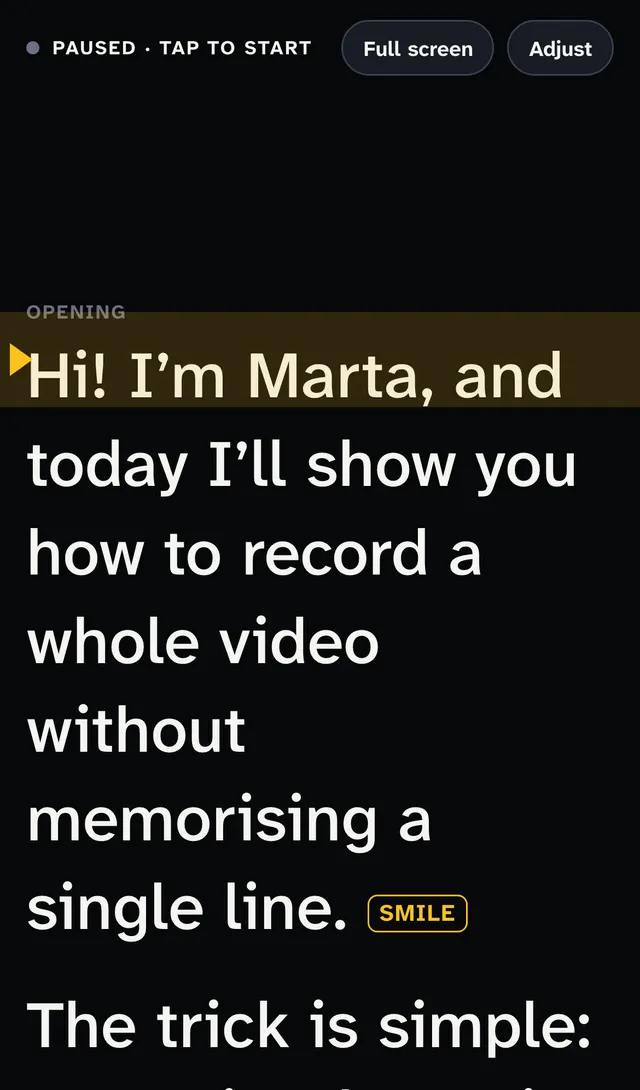
Consiglio: On iPhone, add CueTwin to your home screen (Share → Add to Home Screen) to open it full screen, without Safari’s bars.
Adjust the text so it reads well
You change the settings on the computer and the phone updates at once. The ones that help most:
- Font size: big enough to read at arm’s length without squinting.
- Text width: narrow columns mean your eyes move less from side to side.
- Reading line: a band that marks where you are. Put it level with the lens.
- Mirror: only if you use a glass teleprompter that reflects the screen.
Voice or fixed speed?
With voice, CueTwin listens to what you say and finds those words in the script, so you don’t have to keep a pace. It works in Chrome, Edge and Safari, in English, Portuguese, Spanish, French, German, Italian and more.
With fixed speed, the text always moves at the same rate and you set the words per minute. It’s useful in noisy places or in a browser without speech recognition.
Control it without touching the screen
To pause or go back without reaching for the computer, use a slide clicker, a ring remote or a Bluetooth pedal: they work as keyboards and you choose what each button does. You can also use a second phone as the remote, connected with the same QR code.
Domande frequenti
Does it work on iPhone?
Yes. The teleprompter opens in Safari. For full screen, add CueTwin to your home screen.
Do I need internet?
Yes. The computer and the phone talk to each other over the internet, even side by side.
How much does it cost?
You start free, with 3 scripts and 1 screen. Pro costs €4.99 a month or €39 a year, with unlimited scripts and screens.
Can I record with the same phone that shows the text?
You can, but the text is far from the rear camera. To look at the lens, record with another camera, or with the front camera and the text right below it.