 CueTwin-Team
Kurz gesagt
- PromptSmart follows your voice (VoiceTrack) but has no free plan: just a 7-day trial, then $9.99 a month.
- CueTwin also follows your voice, has a free plan and Pro costs €4.99 a month, with nothing to install.
- Teleprompter.com records and edits the video in the app; Speakflow focuses on teams.
- If you already have a camera and an editor, you don’t need to pay for video recording.
PromptSmart made the voice-following teleprompter popular, and it’s still a good app. But people look for another option because of the price, the lack of a free plan, or because they want to write on the computer and read on the phone without installing apps.
Quick comparison
| Follows voice | Free plan | Paid monthly | Paid yearly | Install an app | |
|---|---|---|---|---|---|
| PromptSmart | Yes | Only a 7-day trial | $9.99 | $99.99 | Yes |
| CueTwin | Yes | 3 scripts, 1 screen | €4.99 | €39 | No, runs in the browser |
| Teleprompter.com | Yes | Yes, with a watermark | $19.99 | $90 | Yes |
| Speakflow | Yes | 10 min of voice a month | — | $180 | No, runs in the browser |
Why people look for alternatives
- There’s no free plan. After the 7-day trial, you have to pay to keep using voice.
- They want to write on the computer. Writing and editing a long script on a phone is slow.
- They don’t want to install apps on every device they use as a teleprompter.
- They want several screens at once, for example at an event.
CueTwin: the closest match, for less
Like PromptSmart, CueTwin listens to what you say and the text moves with you, waits when you ad-lib and goes back with you. The difference is how you work: you write and control on the computer and read on a phone, tablet or any other screen, connected by QR code, with nothing to install.
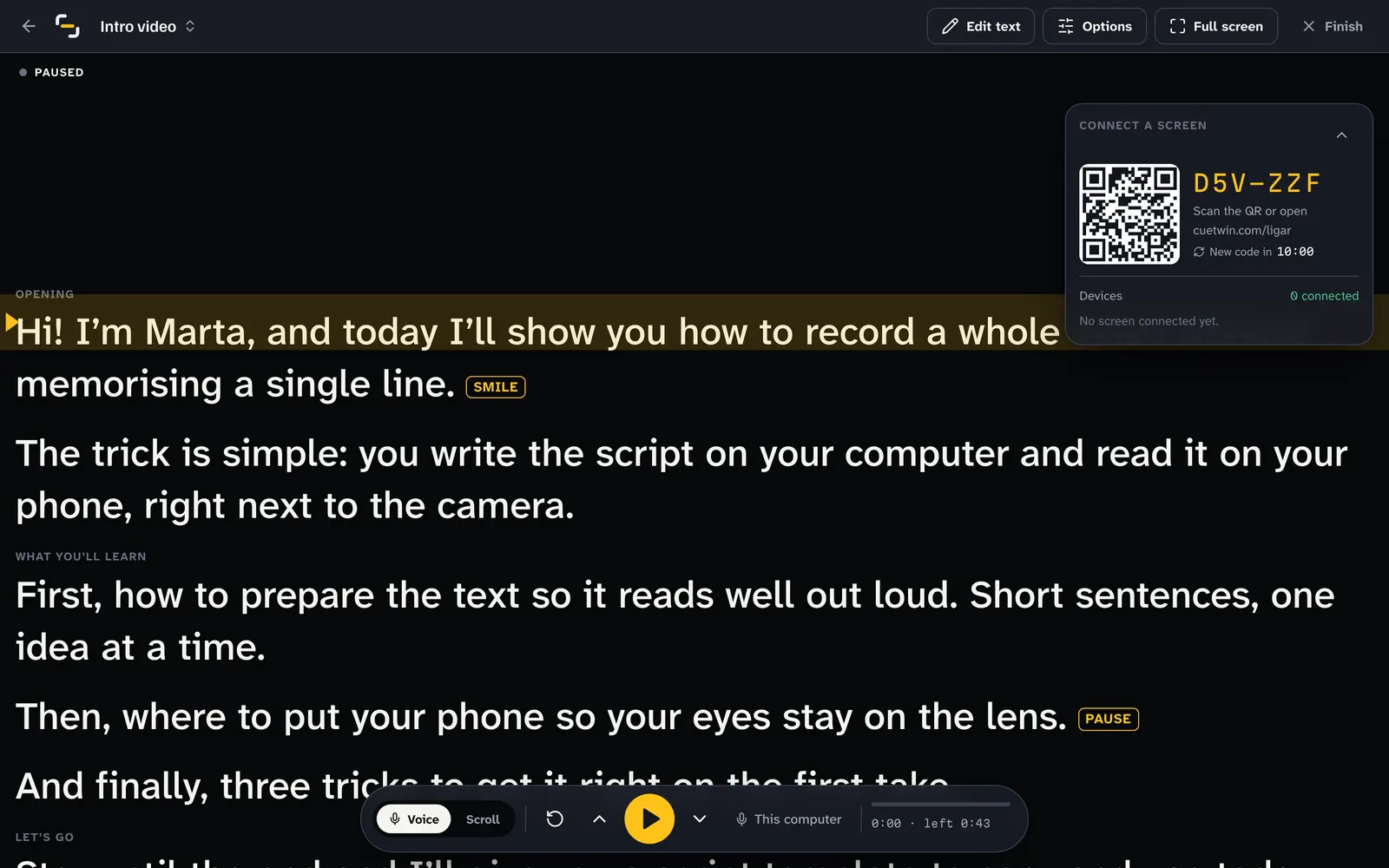
Good for: people who want voice-follow at the lowest price and prefer writing on a computer. Doesn’t do: video recording or editing; you record with the camera you already have.
The other alternatives
Teleprompter.com: a phone app that records the video while you read, with captions and AI features. It makes sense if you record and edit everything on your phone. Its monthly plan is the most expensive on this list.
Speakflow: a browser teleprompter with voice, built for teams that write scripts together. The free plan caps voice at 10 minutes a month and the paid plan is yearly.
Switching from PromptSmart to CueTwin
- Export or copy your scriptsCopy the text of each script, or export it to a file.
- Paste or import into CueTwinIt takes pasted text and Word, PDF, Markdown and HTML files.
- Connect your phonePress Present and scan the QR code. There’s no app to install.
- Set up your remoteIf you used a Bluetooth remote, pair it with the computer and adjust the keys in Settings.
Häufige Fragen
Does CueTwin work on iPhone like PromptSmart?
Yes, in Safari, with no app. For full screen, add CueTwin to your home screen.
What is the free alternative to PromptSmart?
CueTwin’s free plan includes voice-follow with no minute limit, plus 3 scripts and 1 screen.
Does CueTwin work offline?
No. CueTwin needs the internet for the computer and the phone to talk to each other. If you often record without a connection, a native app may suit you better.