 L’équipe CueTwin
En bref
- Don’t memorise: write the script, split it into short sections and read it next to the lens.
- Record one section at a time. If you slip, you only redo that part.
- Leave a second of silence before and after each section: that’s where you cut in the edit.
- Write the opening and the close in full; in the middle you can use bullet points.
Memorising an 8-minute video takes hours, and on camera it shows that you are trying to remember. People who record every week almost always use a script and a teleprompter, and treat the recording as a series of short takes.
Full script or bullet points?
| Full script | Bullet points | |
|---|---|---|
| Good for | Tutorials, reviews, videos with data | Vlogs, chats, reactions |
| Upside | Shorter video, no repetition | Sounds more spontaneous |
| Risk | Sounding read, if you don’t rehearse | Losing the thread and rambling |
A mix works for most channels: opening and close written in full, the middle as points or short sentences. See how to structure it all in how to write a video script.
Get the script ready to record
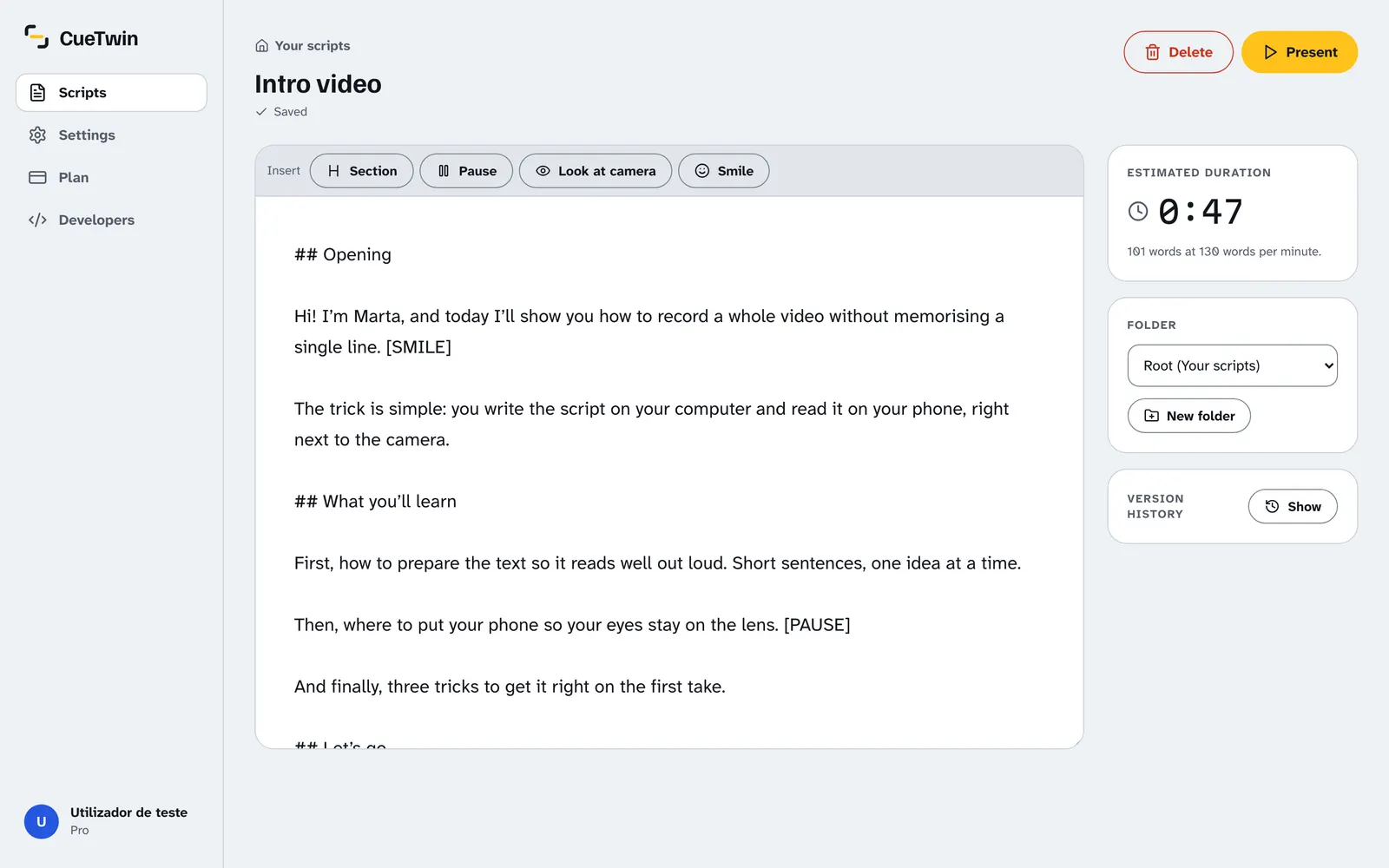
- Split it into sections with ## in CueTwin: Opening, Point 1, Point 2, Close. Each section is a take.
- Mark the pauses with [PAUSE] where you’ll show something or change shot.
- Read it aloud once. Wherever you stumble, rewrite: if it’s hard to say, it’s hard to listen to.
- Check the estimated length in the editor and cut if it runs over.
Set up the camera and the teleprompter
- Camera at eye levelOn a tripod or a pile of books. A camera looking up at you is never flattering.
- Text right below the lensA phone connected to CueTwin, close to the camera. The closer, the less it shows.
- Large type and a narrow columnYour eyes move less from side to side. More in looking at the camera.
- Remote in handA Bluetooth remote or a second phone to pause and restart without getting up.
Record in short takes
Don’t try to record the video in one go. Record it section by section:
- Start recording on the cameraKeep the camera rolling for the whole section, even if you slip.
- Wait a second, then speakWith Follow my voice, the text moves with you. If you stop to think, it waits.
- Slipped? Go back and repeat the sentencePause, go back with the remote and say the sentence again. In the edit, keep the last one.
- Move on to the next sectionBreathe, look at the lens and carry on.
Astuce : A second of silence between takes makes editing much easier: the sound waves go flat and you can see right away where to cut.
How not to sound like you are reading
- Write the way you talk: “you’ll see” rather than “you will be able to observe”.
- Smile at the opening. Put [SMILE] in the script if you tend to forget.
- Read a little slower than you think you should. On camera it looks normal.
- Change your tone for questions and lists. The text won’t tell you, but viewers notice.
Questions fréquentes
Do YouTubers really use teleprompters?
Many do, especially for tutorials, reviews and videos packed with information. It doesn’t show because the text sits next to the lens and they rehearse.
Can I record with my phone and read on the same phone?
You can, with the front camera and the text below it, but the picture is worse. Ideally record with another camera or phone and read on a second screen.
How long should the script be?
It depends on the video. At 130 words per minute, an 8-minute video is about 1,000 words. Use the length calculator.