 Equipo de CueTwin

En resumen
- The trick is to put the text as close to the webcam as you can, usually at the top of the screen.
- You can read on the computer itself, in a narrow window below the camera, or on a phone clipped to the monitor.
- If the call is already using the computer’s microphone, pick the phone’s microphone for CueTwin to listen to.
- For webinars and sales demos, write short points rather than full paragraphs.
On a video call, people notice at once when your eyes drop to your notes. With the text right next to the webcam and moving with your voice, you can read the opening, the numbers and the close without losing eye contact.
Where to put the text
The webcam is almost always at the top of the screen. So the text should sit right below it, not in the middle of the screen where the call window usually is.
- On the same computer: open CueTwin’s Present screen in a narrow window, push it to the top of the screen under the camera, and move the call window lower.
- On a phone: clip it to the monitor just below the webcam. Connect it with the QR code and control everything from the computer.
- On a tablet: good if you use an external camera on a tripod. Put the tablet behind or below the camera.
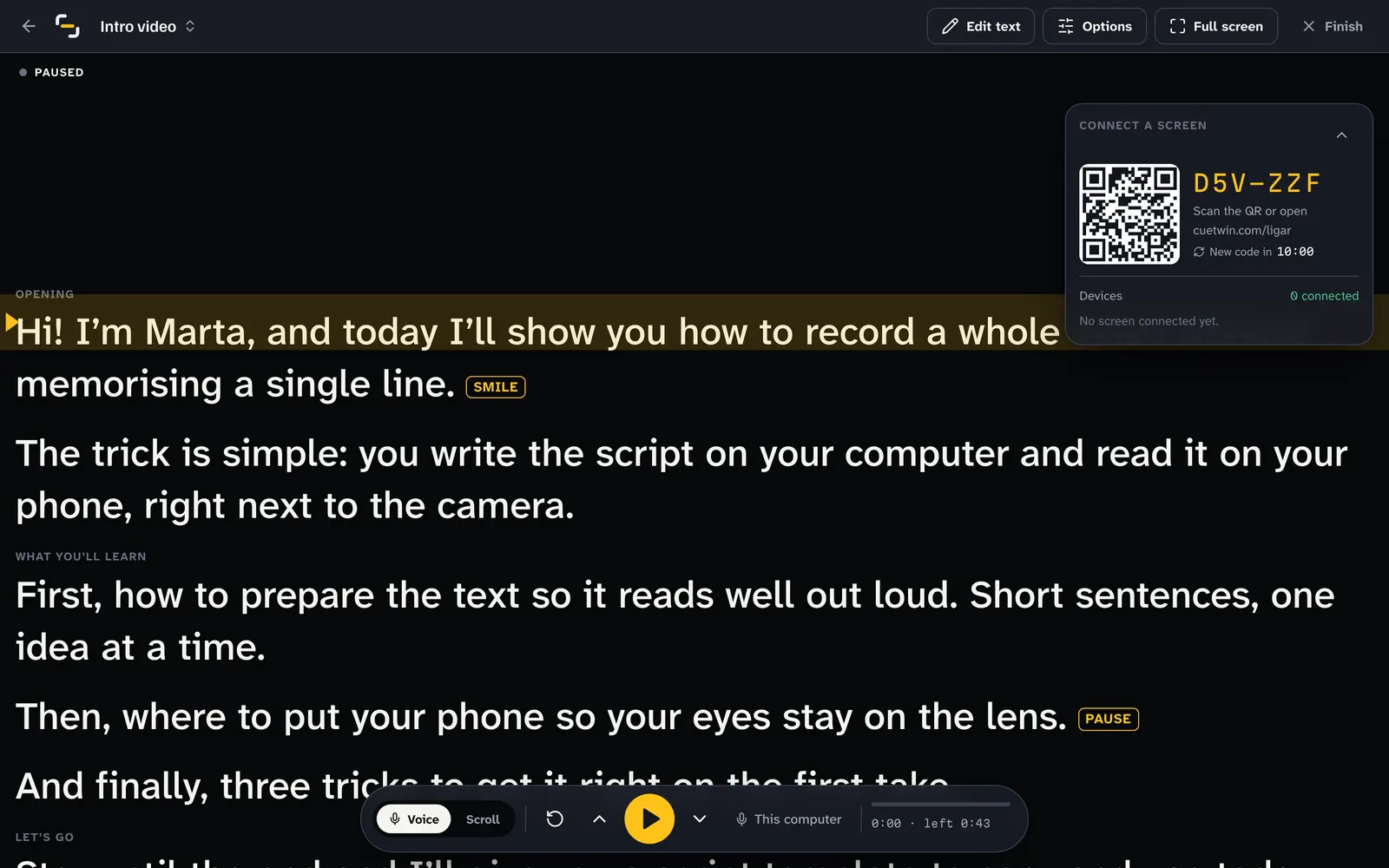
Step by step
- Write your notes in CueTwinPaste the text or write points. Use ## to split the parts of your presentation.
- Press PresentIf you’ll read on your phone, scan the QR code with it. If you’ll read on the computer, keep the window open.
- Adjust the reading viewLarge type, narrow text and the reading line at the top, level with the camera.
- Pick the microphoneIn the bottom bar, press This computer and choose the phone if the computer’s microphone is busy with the call.
- Join the call and press Follow my voiceThe text moves when you speak and waits when someone interrupts.
What about the microphone?
Zoom, Teams and Meet use the computer’s microphone. Most of the time the browser can share it with CueTwin without trouble. If CueTwin stops hearing you, there are two fixes:
- Pick the microphone of the phone connected as a screen: CueTwin listens through it and the call stays on the computer.
- Switch to a fixed speed and set the pace with the arrow keys or a Bluetooth remote.
Consejo: Test everything in a call with yourself before the real meeting. Meet and Zoom both let you open a room just for you.
What is worth writing down
In a meeting, nobody wants to hear a text read from start to finish. Write out in full only what has to come out perfectly, and the rest as points:
- The opening: the first two or three sentences, so you start with confidence.
- Numbers and names: prices, dates, percentages and client names.
- The hard answers: the objections you know will come up.
- The close: the next step you want the other person to take.
Webinars and recorded presentations
In a webinar you talk for a long time without interruptions, and that’s where a full script really helps. Split it into short sections and use the 3, 2, 1 countdown so you have time to look at the camera before the text starts.
If you share your screen with slides, the teleprompter on a phone next to the camera is the best option: the computer screen stays free for the slides.
Preguntas frecuentes
Can other people see the teleprompter?
No, as long as you don’t share the CueTwin window. Share only the slides or the browser window you want to show.
Does it work with Microsoft Teams?
Yes. CueTwin runs in the browser, alongside any video call app: Teams, Zoom, Meet, Webex or another.
What if someone interrupts me?
With Follow my voice, the text stays put while the other person speaks and picks up again when you return to the script.
Do I need two screens?
No. You can read in a window below the webcam on the same screen. A phone next to the camera is just more comfortable.