 CueTwin team
In short
- Both teleprompters follow your voice: the text moves when you speak and waits when you stop.
- PromptSmart is an installed app (iOS, Android, Windows and Mac) and starts at $9.99 a month.
- CueTwin runs in the browser, has a free plan with voice, and Pro costs €4.99 a month.
- Pick PromptSmart for a native app on one device; pick CueTwin to write on your computer and read on your phone.
PromptSmart and CueTwin solve the same problem: reading a script without losing your place, with the text keeping up with your voice. They differ in price, in what you can do without paying, and in how you work.
Side by side
| CueTwin | PromptSmart | |
|---|---|---|
| Follows your voice | Yes, on the free plan too | Yes (VoiceTrack) |
| Where it runs | In the browser: computer, phone, tablet, TV | Apps for iOS, Android, Windows and Mac, plus web editing |
| Install | Nothing | The app on each device |
| Free plan | 3 scripts, 1 screen, no time limit | No; there is a trial period |
| Entry price | €4.99 a month or €39 a year | $9.99 a month or $99.99 a year |
| Computer controls the phone | Yes, via QR code | Yes, with the web remote control |
| Several screens at once | Yes, on Pro | Yes, with remote control room sessions on Team ($19.99 a month) |
| Works offline | No | Not stated on its pricing page |
When to choose PromptSmart
- You always record on the same phone or tablet and prefer an installed app.
- You have used PromptSmart for years and your scripts and habits are there.
When to choose CueTwin
- You want voice-follow without paying, or for half the price.
- You write on your computer. Fix the script on the keyboard and the text changes on your phone at once, even mid-recording.
- You don’t want to install anything: open the browser on whatever device is at hand.
- You use several screens at an event or in a class, or a second phone as the remote.
Switching from PromptSmart to CueTwin
- Copy or export your scriptsIn PromptSmart, copy the text or export each script to a file.
- Import them into CueTwinPaste the text or import Word, PDF, Markdown or HTML files.
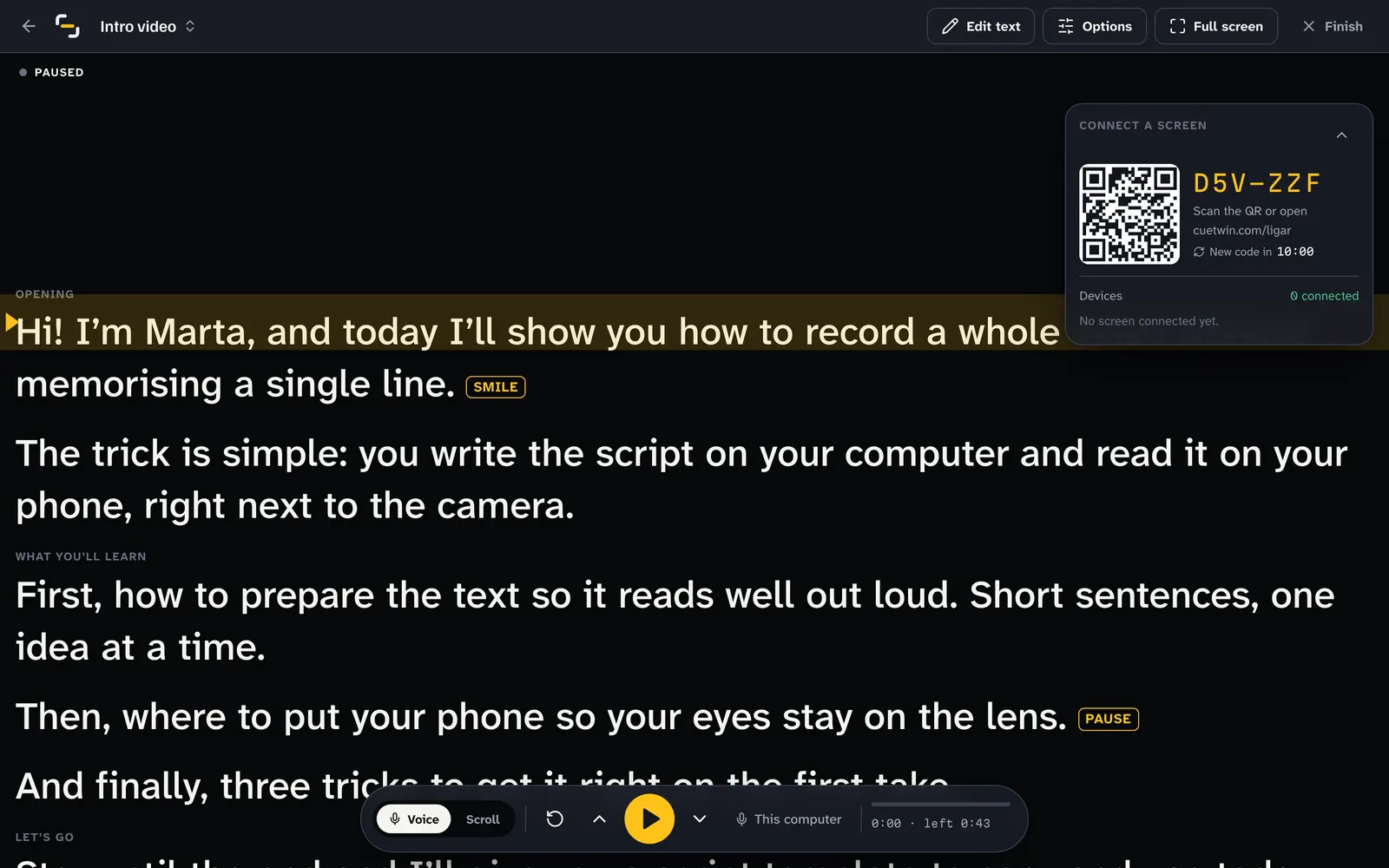
- Connect your phonePress Present and scan the QR code with your phone’s camera.
More options in PromptSmart alternatives.
FAQ
Does CueTwin have a feature like VoiceTrack?
Yes. It’s called Follow my voice: the text moves when you speak, waits when you stop and goes back with you. It’s on the free plan.
Which one is cheaper?
CueTwin: it has a free plan with voice, and Pro costs €4.99 a month or €39 a year. PromptSmart’s entry plan costs $9.99 a month or $99.99 a year.
Can I use CueTwin on an iPhone?
Yes, in Safari, with nothing to install. For full screen, add it to your home screen.